
Contents8
- 01Why the area comes before the budget
- 02A radius, or a list of towns?
- 03”Presence” or “Presence or interest”: the setting that changes everything
- 04What brings a local customer in
- 05The searches to keep out
- 06How do you measure a local campaign?
- 07Other networks, and what comes next
- 08Frequently asked questions
A tradesperson, a clinic, an accounting firm, an equipment hire company or an estate agency does not serve the whole country: it serves an area. For them, online advertising only makes sense if it reaches people who can come in, or whose premises can be reached. Every click from too far away is a click paid for nothing, and a badly set campaign buys plenty of them. This article explains how local advertising attracts customers within a reasonable radius, say 20 km, and what turns a neighbour into a customer; it is part of our online advertising guides.
In short
Google Ads radius targeting starts at 1 km, and Google warns that a radius that is too small may not serve.
The “Presence” option targets people located in the area; the default option also targets people interested in it.
Location assets show your address, the distance and a call button alongside the ad.
A local campaign runs at the hours when someone answers, and sends clicks to a page about the area.
Why the area comes before the budget
A local campaign pays twice for a badly set area: once for the click, once for the time spent answering someone you cannot serve. A plumber in Nantes has no use for an “emergency plumber” search typed in Lille, and a practice that only sees clients on site wastes its time on an enquiry from the other end of the country.
The benefit of the right area is therefore not just money saved. The enquiries that arrive are enquiries you can honour, and that is what makes a tight test budget readable: every euro goes on people who can become customers.
A radius, or a list of towns?
Google’s help page on location targeting distinguishes three levels: the country, areas within a country (regions, cities, postcodes depending on the country) and a radius around a point.
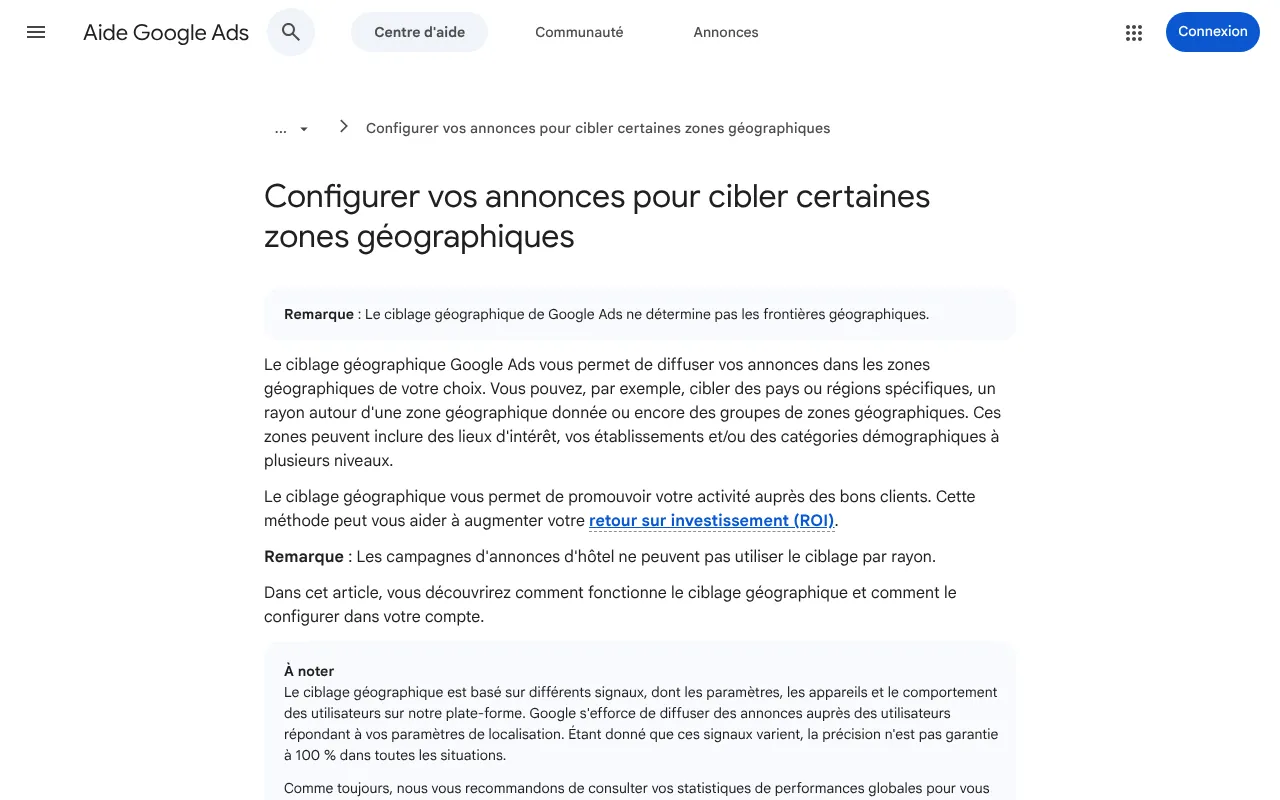
Google Ads help on location targeting (French edition): a country, areas within it or a radius around a place, with accuracy not guaranteed in every case. Captured on 19 October 2026.
A radius suits a business whose customers are around its premises. Google sets two limits: no radius under 1 km, and a warning that a very small radius may cause ads to serve intermittently or not at all. Twenty kilometres leaves room; three kilometres in a city means checking that the campaign really serves.
Towns or postcodes work better when the area is not a circle: a valley, a conurbation split by a river, a county with one part excluded. When you serve almost a whole territory, Google suggests targeting all of it and then excluding the areas you do not serve.
Watch out
Target where you serve, not only where you are
Google points this out: the area to target is where your customers are, which is not necessarily where your premises are. A tradesperson who works across three counties targets all three. An online shop targets the countries it delivers to, and only those it serves at a profit: on an online plush-toy store we work with, the United States and Canada were closed, because €190 of revenue a year did not cover four combined compliance costs.
”Presence” or “Presence or interest”: the setting that changes everything
This is the setting most often left at its default, and the one that costs most in local advertising. Google Ads offers two options:
Presence or interest (broader option)
Reaches people located in the area
And people showing interest in that area, wherever they are
Recommended by Google on the Search Network
Presence
Reaches people in the area or regularly there
Leaves out people interested in it from elsewhere
Suggested by Google when you only want people on the spot
Google states that travel, real estate and education advertisers gained conversions by switching to the broader option: logical, since people buy a stay or a home where they do not live yet. For a service that comes to the customer or receives them on site, “Presence” is often the right choice: it leaves out the person in Lille reading an article about Nantes.
Google works out location from the IP address, GPS, Wi-Fi or mobile masts, depending on device settings, and warns that accuracy is not guaranteed in every situation. Some clicks will therefore always come from slightly further away: the account’s location report tells you how many.
What brings a local customer in
The address and a call button in the ad
Location assets add the address, the distance to the premises and a “Call” button on mobile to the ad, from the Google Business Profile linked to the account. Google uses the example of a bakery whose ad shows the distance to someone searching for “fresh bread” nearby. For a local service, a call is often worth more than a form: the person wants to know whether you can come, and when.
The Business Profile itself works without paying for clicks: complete, up to date and fed with reviews, it appears on the map. It is often a local business’s first job, before any advertising, and the subject of our local visibility and reviews offer.
The hours when someone answers
Ad scheduling lets you run ads only at certain hours or on certain days, or bid higher at those times. By default, a campaign runs all day. An ad pushing people to call on a Saturday evening when nobody picks up pays for missed calls, and those people call the next competitor.
A page that talks about the area
Someone arriving from a local ad wants to read that they are in the right place: the town, the response time, the address, the number. A general home page does not tell them.
The temptation is then to create one page per town. Palmora Property, a property listings site we work with, shows the limit: its area pages had unique titles but no content of their own, and the audit of 22 July 2026 rated them its largest untapped opportunity. An area page that says nothing about the area helps neither the visitor nor search rankings. A few genuinely written pages beat a hundred empty templates; the rest of the method is in our landing page article.
The searches to keep out
A local campaign also attracts searches that are not for you: job ads (“plumber vacancies”), training, do-it-yourself, and towns with the same name. Google gives the example itself: someone selling umbrellas to Parisians should target the French capital, not Paris in Texas. These exclusions are read every week in the search terms report, as our negative keywords guide explains.
How do you measure a local campaign?
A local campaign produces calls, directions, visits and forms, and the call often counts most. Three measurements are enough to start:
- Count the calls.
The ad’s call button and clicks on the phone number on the page, as conversions.
- Keep the source of every form.
Each enquiry arrives with its campaign and landing page.
- Follow through to the quote.
The qualified or signed stage goes back from the CRM to Google Ads.
The third step is the one that changes bidding: our guide to sending CRM sales back to Google Ads describes the loop. On this site, since 18 October 2026, every enquiry sent through the form carries the campaign parameters, landing page and referring site of the visit, kept for the browser tab without a cookie: an enquiry from a local campaign is recognisable as soon as it arrives.
Other networks, and what comes next
Google is not the only one that targets an area: Microsoft Ads does it on Bing with its own options, to review if you import your campaigns (the overlooked B2B network), and Meta lets you reach people in an area who are not searching yet (Google Ads or Meta, social media advertising budget). On the organic side, results change from one city to another, as our article on Google results by city explains, and the choice of where the first euro goes between ads and SEO is covered in SEO or paid search.
The rest of the cluster applies as it is to a local campaign:
- The cost of a customer is calculated through to the signed quote: customer acquisition cost.
- Performance Max also serves on Maps, and chooses its own pages: what the automated campaign hides.
- Testing a local ad needs volume, and a small area means few clicks: how many clicks before concluding.
- Consent determines conversion measurement in Europe: Consent Mode explained.
- Retargeting local visitors follows the same rules: without third-party cookies.
- Video can target an area too: YouTube advertising for B2B.
- Generated copy must promise nothing the area cannot deliver: advertising and AI, AI and disinformation.
- LinkedIn also targets by location, when the buyer is defined by their role: who LinkedIn Ads is worth the price for.
- An agency running several locations must say how it reports by area: what the contract should contain.
- AI answers show ads on local searches too: what we know.
To set a campaign on the area you really serve, with calls and quotes measured, our digital marketing offer starts from your premises and your current customers.
Frequently asked questions
What radius should a local ad use?
The one you really serve, measured in travel time rather than kilometres. Google Ads does not accept a radius under 1 km and warns that a very small radius may serve intermittently. If your area is not a circle, target towns or postcodes, or target broadly and then exclude what you do not serve.
Should you choose “Presence” or “Presence or interest”?
For a service that receives clients on site or travels to them, “Presence” avoids paying for clicks from people interested in your area without being there. The broader option, which Google recommends by default, fits better when people buy remotely what they will use on the spot, such as a stay or a home.
Does local advertising replace a Google Business Profile?
No, the two work together. The profile appears on the map without paying for clicks, and location assets reuse its address in your ads. An incomplete profile, or one without recent reviews, weakens both: it is often the first job, before paying for a single local ad.
How long does it take to judge a local campaign?
Long enough to see calls and enquiries turn into quotes, often several weeks. A small area produces few clicks, and therefore little signal: narrow the keywords rather than widening the area, and judge on the enquiries you can serve, not on the number of clicks.
Sources
- Google Ads Help, target ads to geographic locations (new tab)support.google.com
- Google Ads Help, about targeting geographic locations (new tab)support.google.com
- Google Ads Help, about location assets (new tab)support.google.com
- Google Ads Help, about ad scheduling (new tab)support.google.com
Jim · founder of Brain Plus AI
Also in online advertising

Choose and price7 min
Google Ads in B2B: the minimum budget that gives a signal
In B2B, a Google Ads budget that is too small does not just cost little: it tells you nothing. The right minimum comes from your click price, your enquiry rate and the number of enquiries you need to judge.

Practical guide6 min
Ad landing page: why the ad is never the only problem
When a campaign disappoints, people rewrite the ad and adjust the budget. Often it is the landing page that loses the visitors: too slow, too vague, or not keeping the promise the ad made.

Practical guide6 min
Negative keywords: the fastest saving in Google Ads
Every search unrelated to your offer that triggers a click gets paid for. Negative keywords cut that spend in a few minutes a week, provided you read the real searches and know three of Google's rules.